Music begins gently. If it hasn’t started, tap or use the atlas to begin.
The music fades in over three seconds. Turn it off whenever you like.
A landscape of symbols,traditions & discovery.
Hover to find interiors.Or tap Show places.
Drag to roam.Scroll or pinch to look closer.
Use Places to chooseyour next discovery.
A symbolic map.Not to geographic scale.
Hover, or tap Show places.
Follow a path. Discover a chapter.
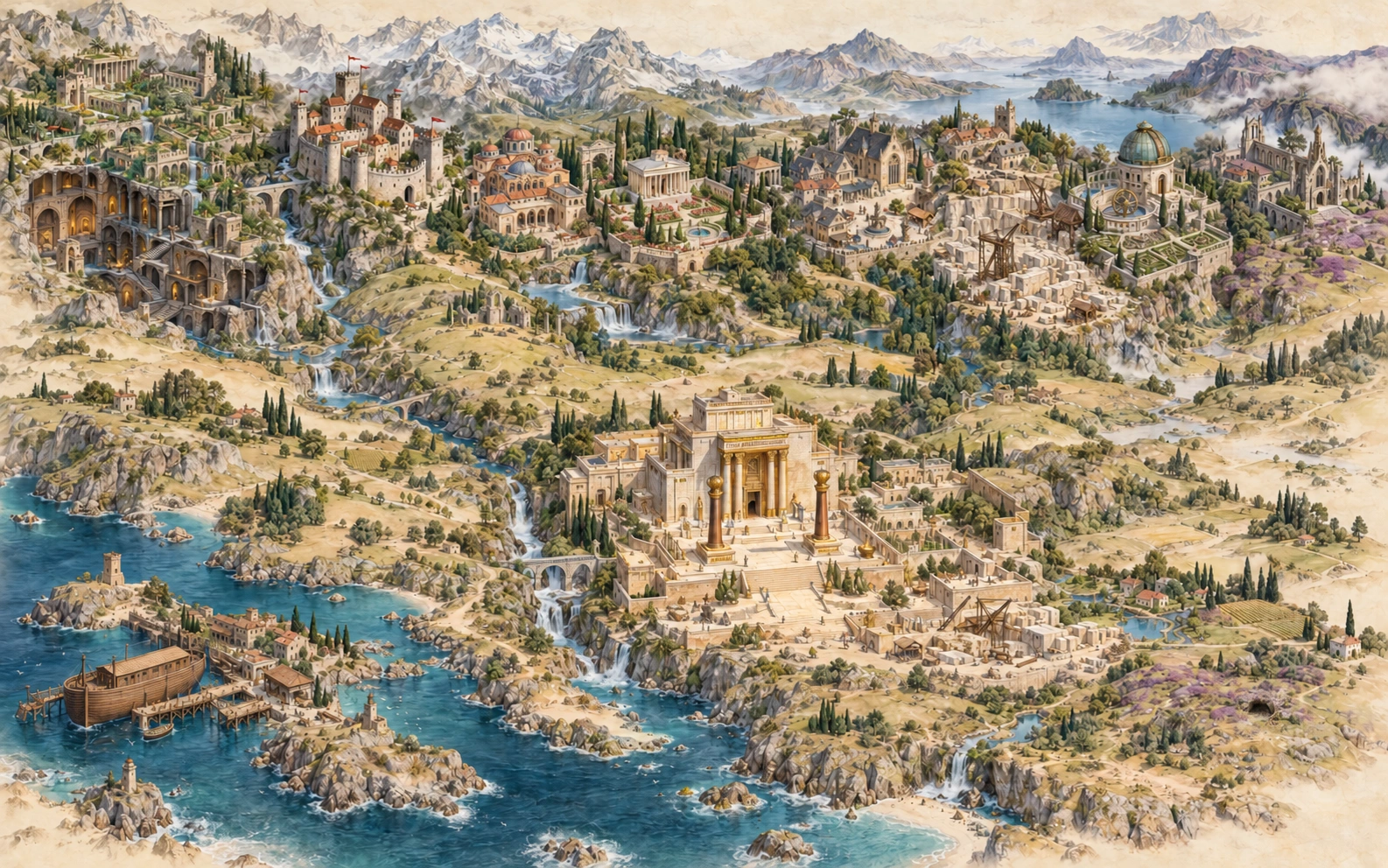
An imagined symbolic setting within The Masonic Atlas.
Explore the tracing boards, follow the Royal Arch path at Solomon’s Temple, and step inside the Templar preceptory. Skip at any point, or come back here to replay it.
This atlas preserves the names, arrows, entry-route notes and original emblems from the supplied New Zealand Masonic Family Tree. Its illustrated landscapes are symbolic settings, rather than geographical locations or historical reconstructions.
Original entry headers: “Require The Royal Arch Degree For Entry” and “Require The Degree Of Master Mason For Entry”. The Allied Degrees, Operatives, SRIA and Royal Order of Scotland share the original note: “No Sovereign Body in New Zealand. Each is a Province or District Only.”
The chart was produced by W. Bro John MacDonald, revised 1 April 2018. These are the source’s routes; current membership qualifications should be confirmed through the linked organisations. Selecting a branch is a way to explore, and does not imply eligibility to join.
The SRIA district expands the chart’s three Orders to include their nine individual grades. Grade names and groupings: SRIA’s published structure leaflet ↗.
Look closely at buildings, gardens, the ark, waterfalls and open landscapes to discover seventeen illustrated environments. The Places finder can take you straight inside. Keep zooming to examine the artwork, drag to look around, and use Back to landscape to return to its entrance.
Light over the atlas: use Day / Night in the top control bar to choose the landscape’s lighting. Daylight has shimmering water; night brings brighter twinkling stars, a moon and warm flickering flames and windows. Stars also fill the dark surround. The light stays as you choose it. Every zoomed environment keeps its original artwork and lighting, and your chosen map mode returns when you go Back to landscape. Motion On / Off in the same bar controls animation. Reduced-motion settings start it off; you can explicitly turn it on with that button.
Switch Masonic paths off to explore the artwork with the route lines, degree boxes, map labels and chapter dock hidden. Environment outlines stay invisible until you hover over a place or focus its entrance with the keyboard. Hover also shows the place’s name and Click to explore beside your pointer; the label disappears as you move away, drag or enter a scene. On a touch screen, use Show places for a six-second view of the outlines, or choose a scene in the Places finder. Tap anywhere inside a discovery area or zoom into it to step inside; the full areas remain active while their circles are hidden. Switch paths back on whenever you want to follow the family tree. Your view stays where it is, and the atlas remembers your choice on this browser.
Atlas music: Seven Spheres of Light begins automatically with a three-second fade-in. If your browser holds it until you interact, tap or use the atlas to begin. Music On / Off in the top control bar turns it off at any time; the adjoining Volume button controls volume and looping.
Hear the conversations: order panels and place details link to related Masonic Mic episodes. Each opens the show’s podcast page in a new tab and switches atlas music off so the two do not play together. Use Music to turn the soundtrack back on when you return.
The three Craft tracing boards are woven into one continuous environment, inspired by historic examples published by the Grand Lodge of BC & Yukon ↗. Rosenkreutz’s tomb is an interpretation of Rosicrucian legend.
Drag to pan. Scroll, pinch or use + / − to zoom. Double-tap the landscape to move closer. The full-map button brings you home. Keyboard: arrow keys pan, + / − zoom, P toggles Masonic paths, Home resets, / opens the finder and Escape closes a panel or leaves an environment.
Use this iframe in a Squarespace HTML Code Block. The compact view keeps the atlas controls and information panels.
The atlas is publicly accessible. Check your embedded page while signed out to confirm visitors can explore it.